
1. Give families one place to look
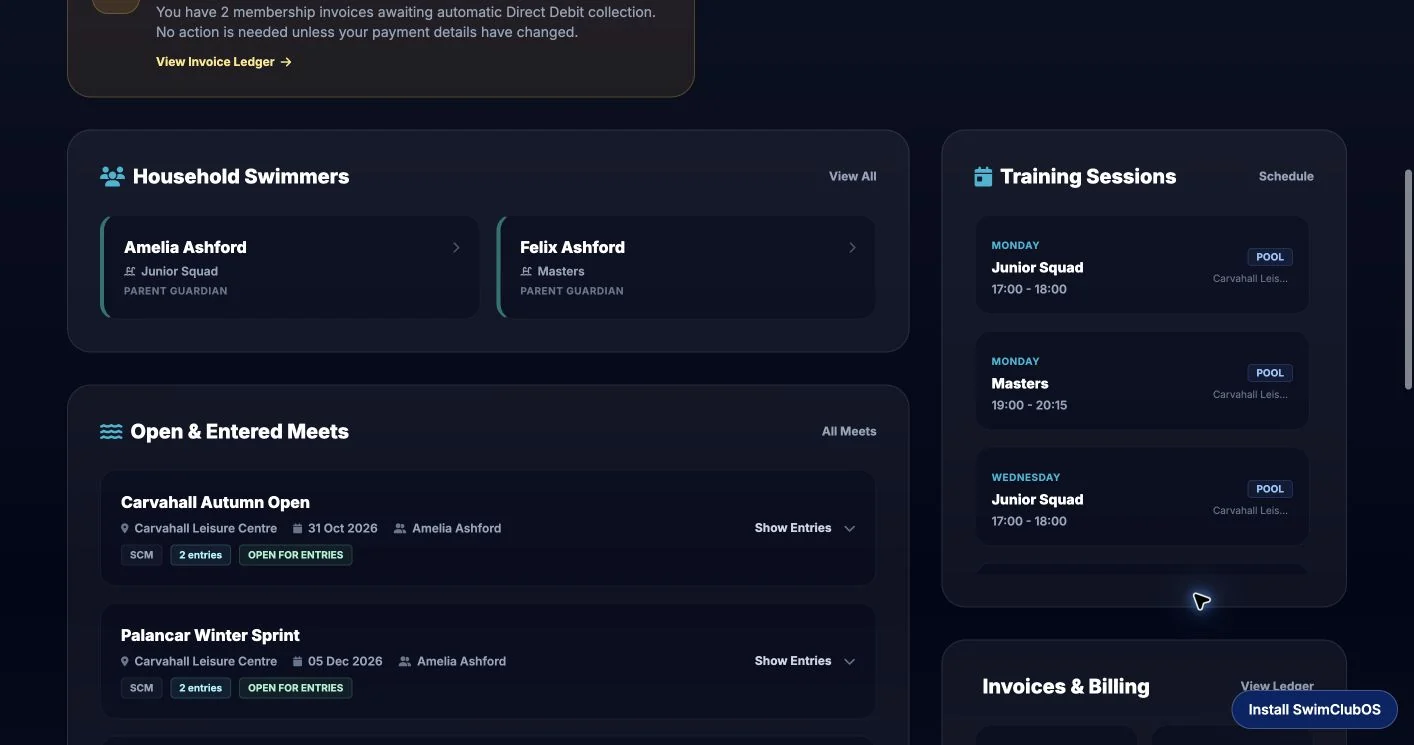
The family dashboard brings linked swimmers, club news, meet choices, results and invoices together. Volunteers can review a read-only preview when helping a family.
Explore these real screens from Carvahall, our fictional swimming club and demonstration meet. Then ask Lewis to walk through the jobs that matter to your club.
Select any screenshot to see the full image. These are actual product screens, not illustrative mockups. All swimmer names, invoices and training records shown belong to the fictional demo.
The family dashboard brings linked swimmers, club news, meet choices, results and invoices together. Volunteers can review a read-only preview when helping a family.
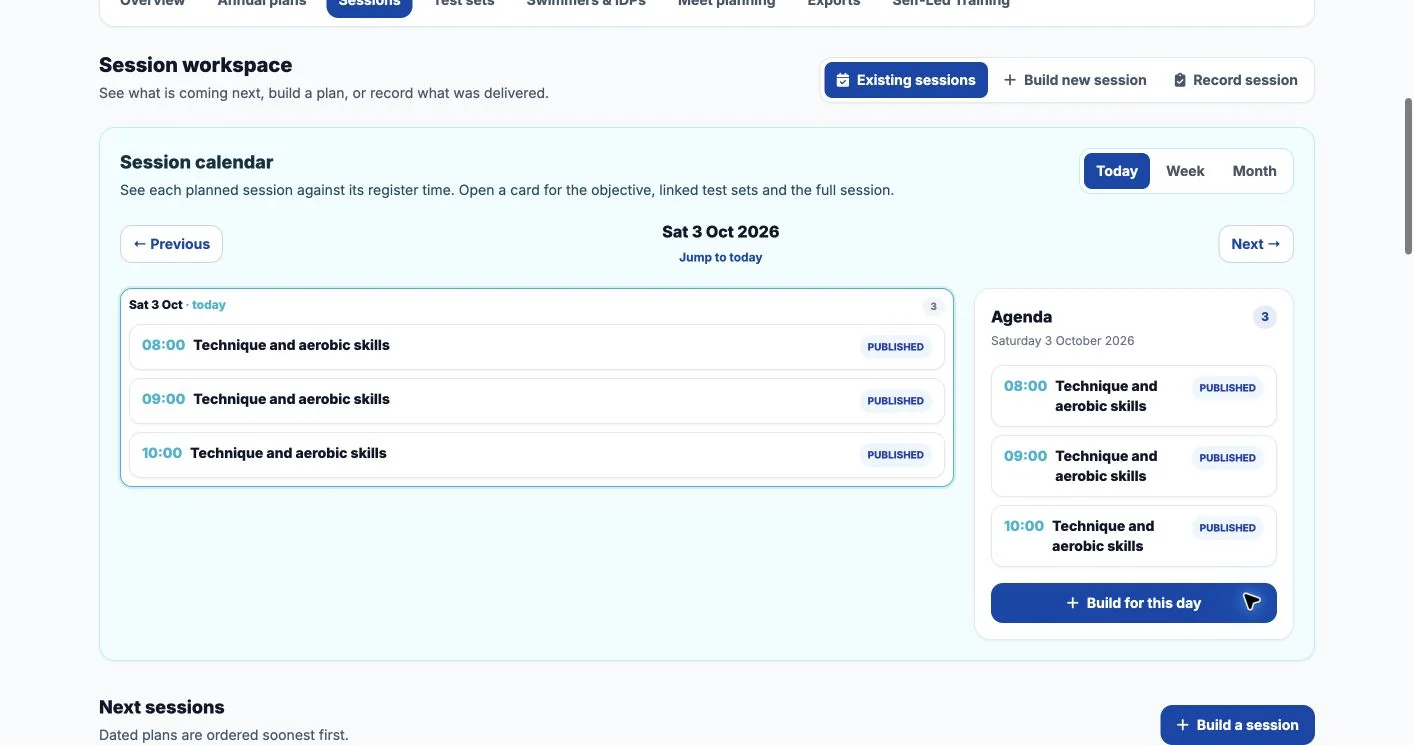
The coaching calendar shows the session work against the week. Published plans connect to the matching register, keeping the poolside plan and attendance close together.
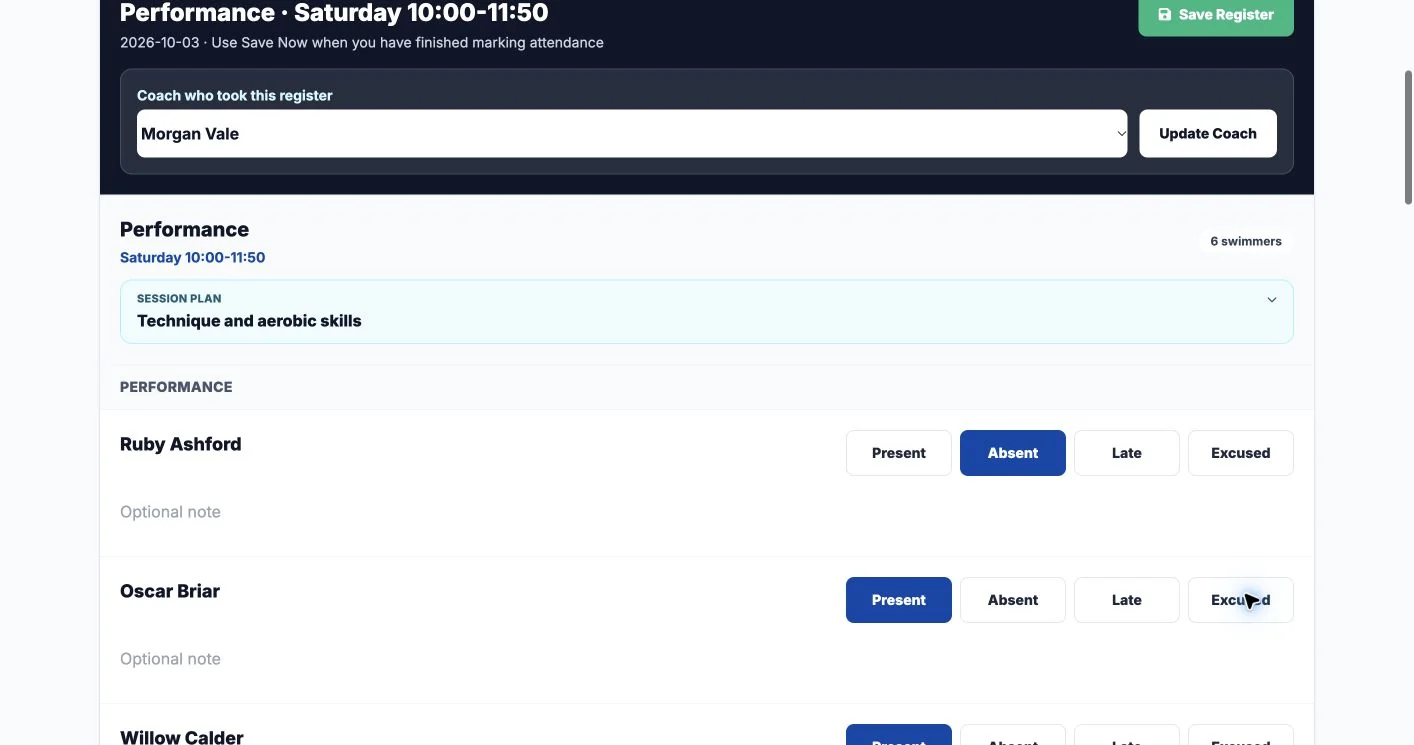
Open the dated register, see its published session plan and mark the fictional swimmers. The completed register stays connected to the session and coach.
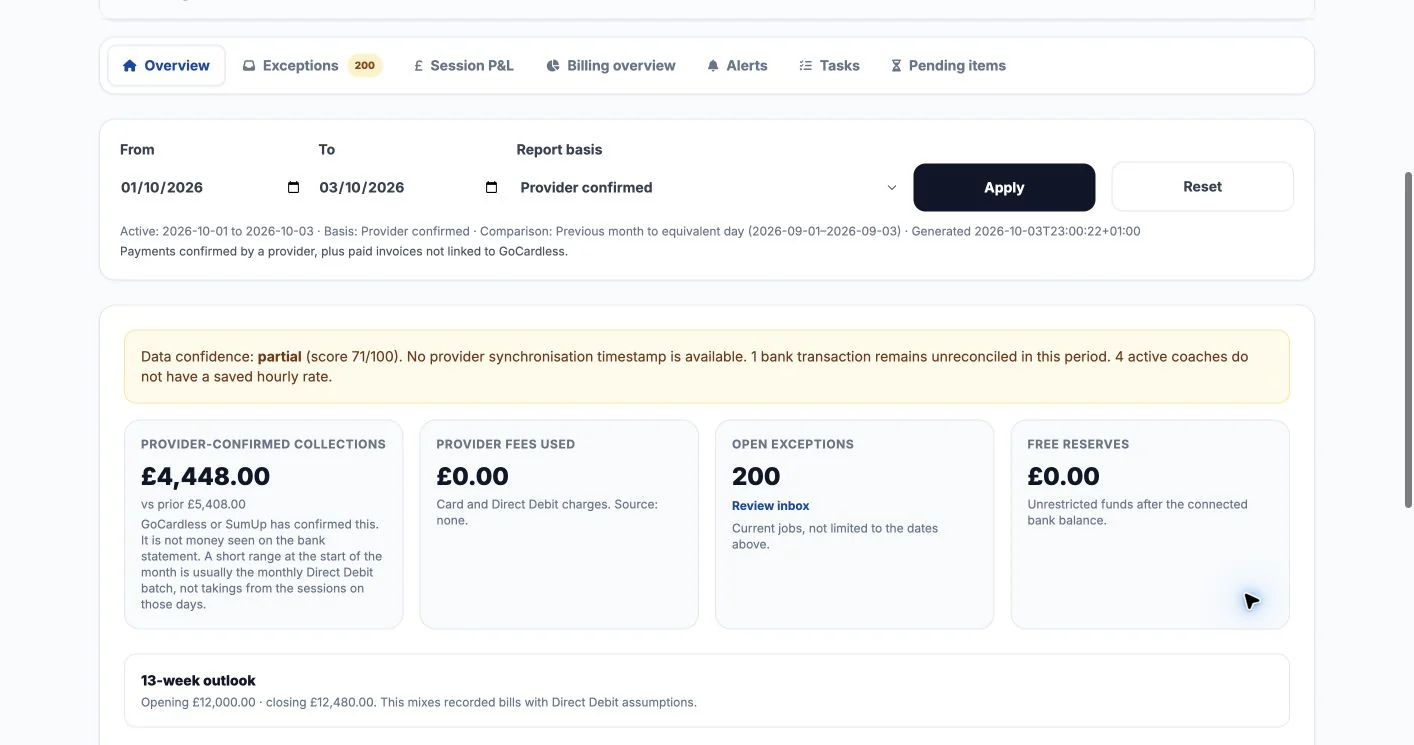
Finance Intelligence shows collections, exceptions and confidence in the underlying data. Change the reporting basis to answer the right question about invoices, provider activity or bank cash.
Website Builder brings pages, menus, news, forms and publication tools into the club workspace. Editors can prepare content before it replaces the public version.
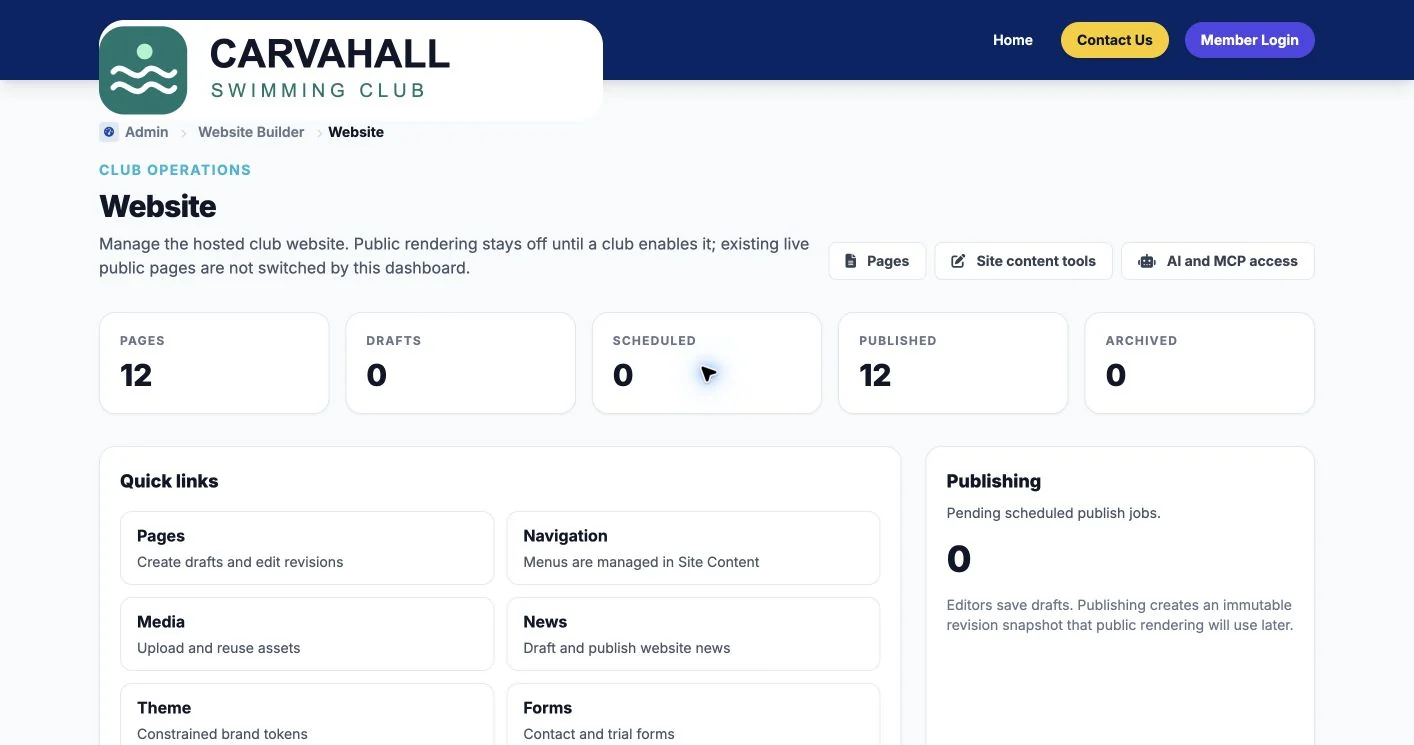
Carvahall’s public site shows a sample club experience. It is a demonstration club, not a place to book real swimming sessions. Admin and family accounts are available through a guided walkthrough rather than shared public credentials.
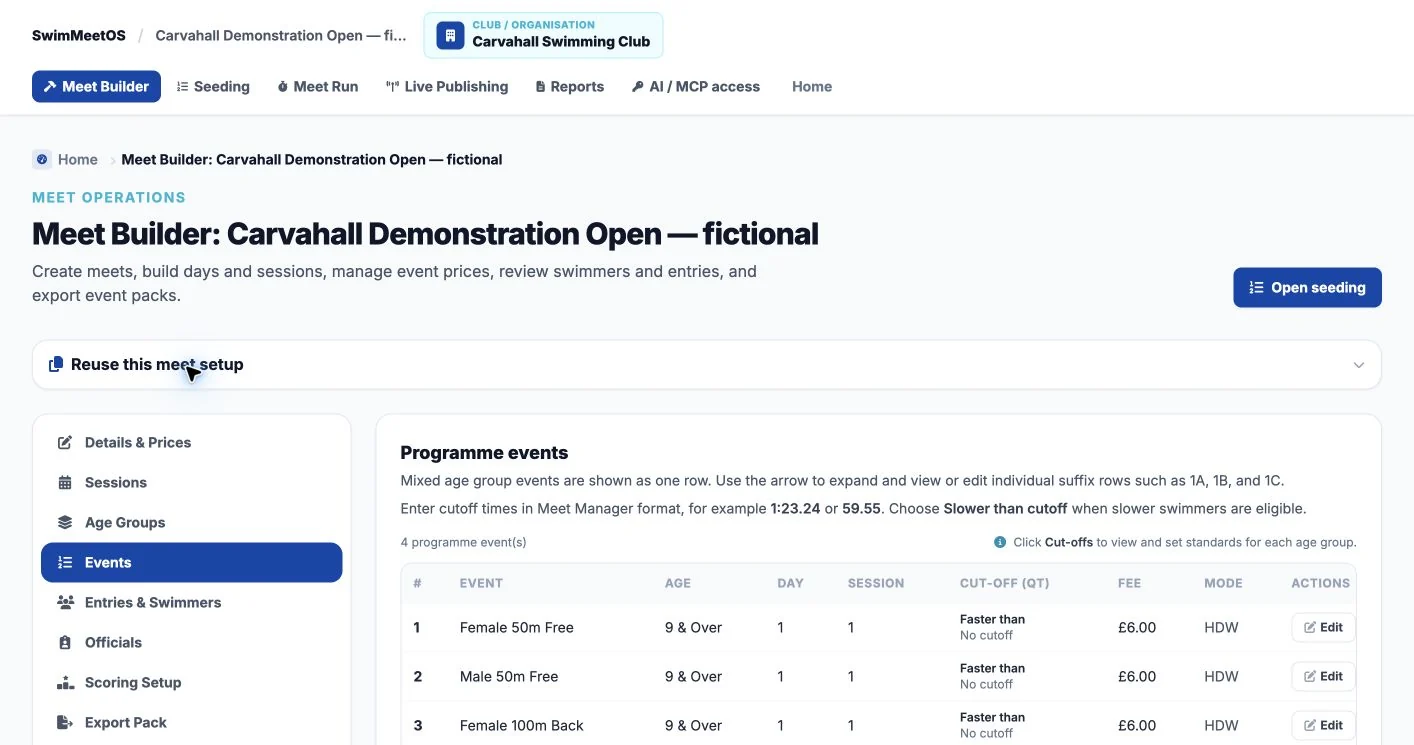
Visit the Carvahall websiteThis is an organiser-side demonstration meet, separate from the club’s entry collection. It contains four events, 12 fictional swimmers and 24 entries.
Organise the sessions, event order, eligibility, cut-offs and prices in Meet Builder. Check the setup before taking entries.
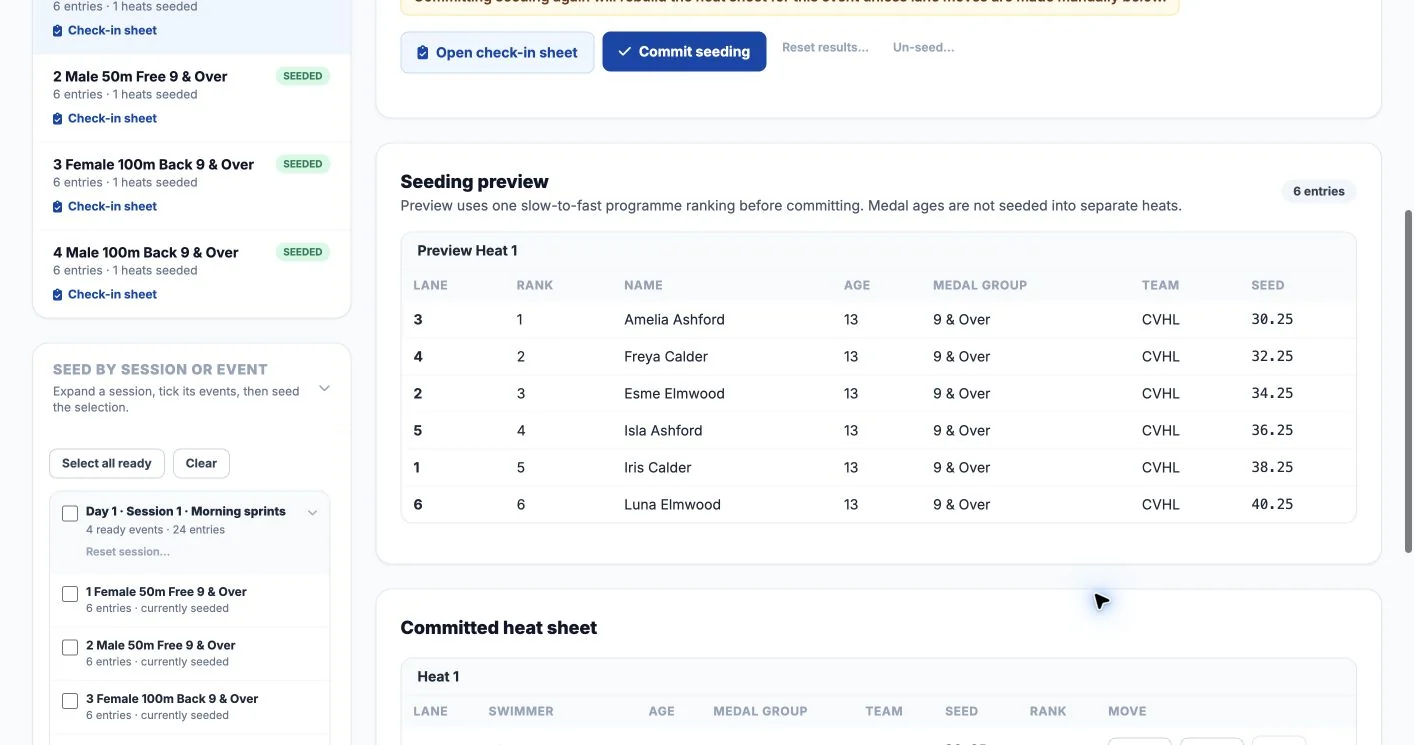
Preview entries and lane assignments before committing the seeding. Prepare the reports your poolside team will use.
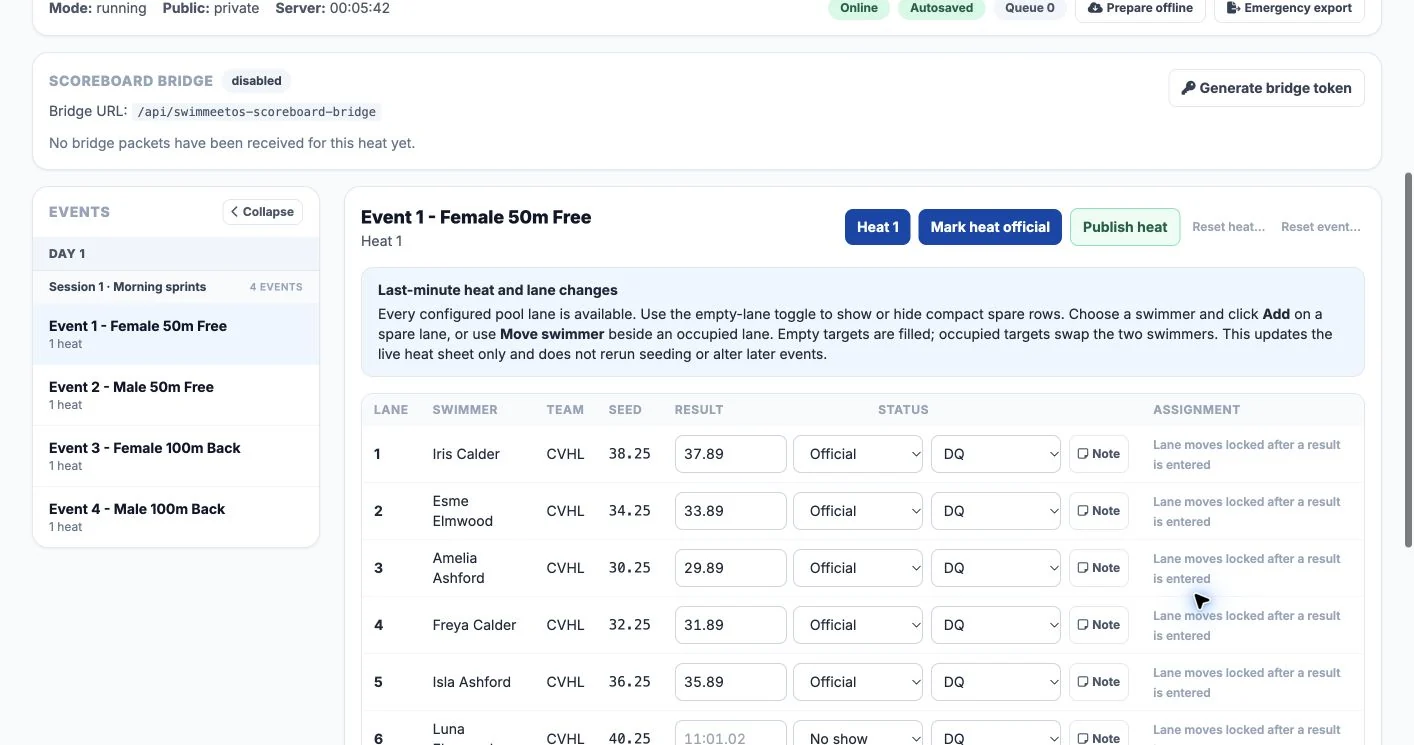
Work through results, statuses, notes and official/publication controls. Connection and queue indicators support prepared offline operation.
SwimMeetOS is in active testing. Read the timing, import and offline checks before planning a live meet.
Tell Lewis whether you manage members, coach squads, handle finance, maintain the website or host meets. We can show the relevant screens using fictional data and discuss your current system.
The public screen tour is available now. Interactive Admin and family access are guided; a public self-service sandbox is not currently offered.
Message Lewis for a walkthrough