
Explain your club
Publish your squads, training information, joining process, fees and competition guidance in clear pages.
Give new families a clear route into your club, and give volunteers practical tools to update pages, news and joining information. Get help preparing the site and connecting your domain.
Use Website Builder to manage pages, navigation, media, news, forms and publishing. Prepare a draft and preview it before the club makes it public.
Membership information changes. Squads change. Fees change. Keep those updates in the same club workspace instead of relying on someone to remember how a separate website was built.
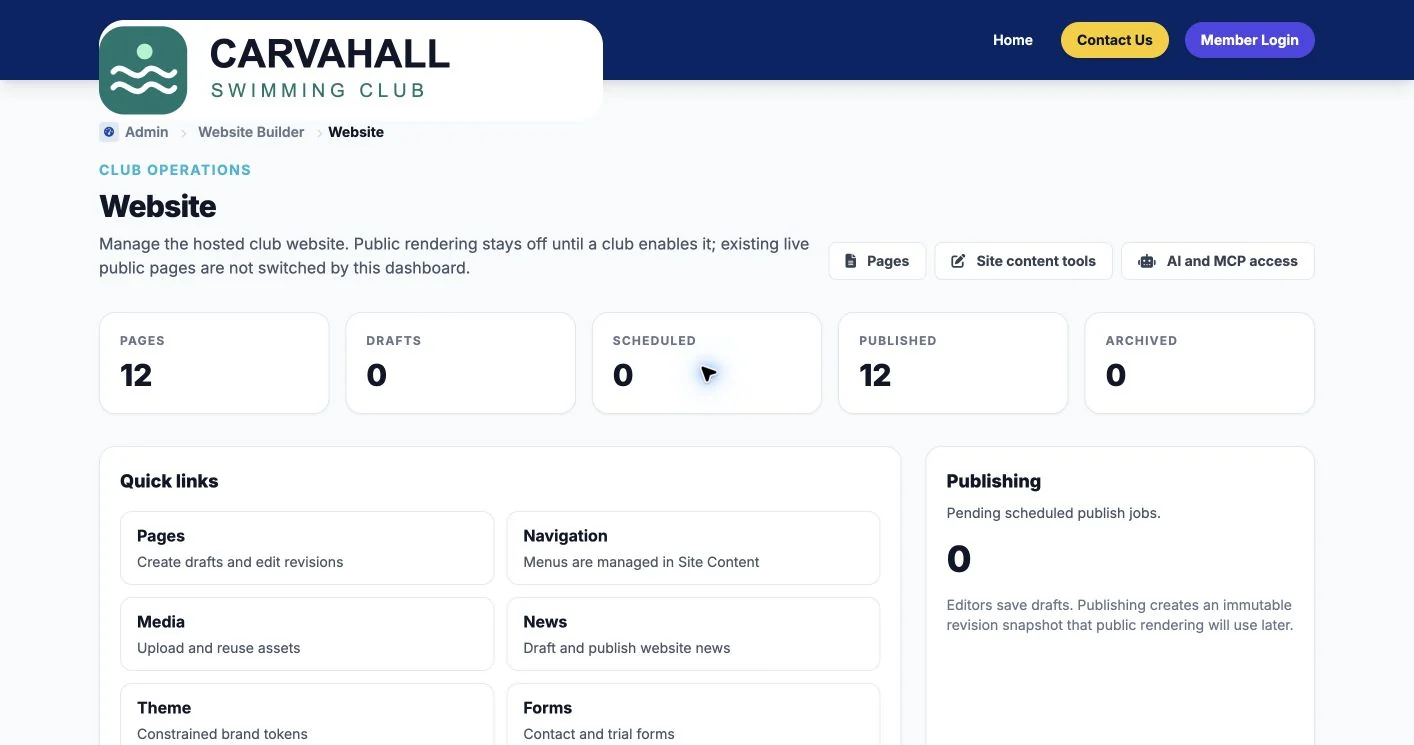
Publish your squads, training information, joining process, fees and competition guidance in clear pages.
Build public contact and trial forms, review responses and configure the appropriate club notifications.
Draft and publish club updates using the club’s own content and media.
Use previews, revision history and controlled publishing before replacing public content.
Prepare your logo, brand colours and navigation. Discuss content transfer and layout help with Lewis.
Custom domain verification is part of the website tools. Agree DNS changes, hosting and the launch plan before switching.
Message Lewis if your current site is difficult to edit, your joining process is unclear or one volunteer carries all the website knowledge. We can review what to keep, what to rewrite and who needs editor access.
Hosting, domain connection, content preparation and ongoing help should be included in your agreed scope. Existing domain registration, email services and any third-party charges are discussed separately. You can also keep your current website while starting with the club management tools.
See a fictional club website example · What to include in a quote
Send Lewis your current website and the updates you struggle to make. Discuss a hosted site, practical content help and the right handover for your volunteers.